Orderly for co-parents · In family testing

One orderly place for the plan and the replies.

Orderly turns your custody order into a calendar you can check, keeps one calm message thread, and gives you a private Coach to help you reply. It works even if you're the only one using it.

Now in family testing. We'll share details when you join.

Message thread with Jordan. A calendar proposal for Saturday, November 7 stays pending, with Accept and Decline. The screen says nothing changes until you accept.
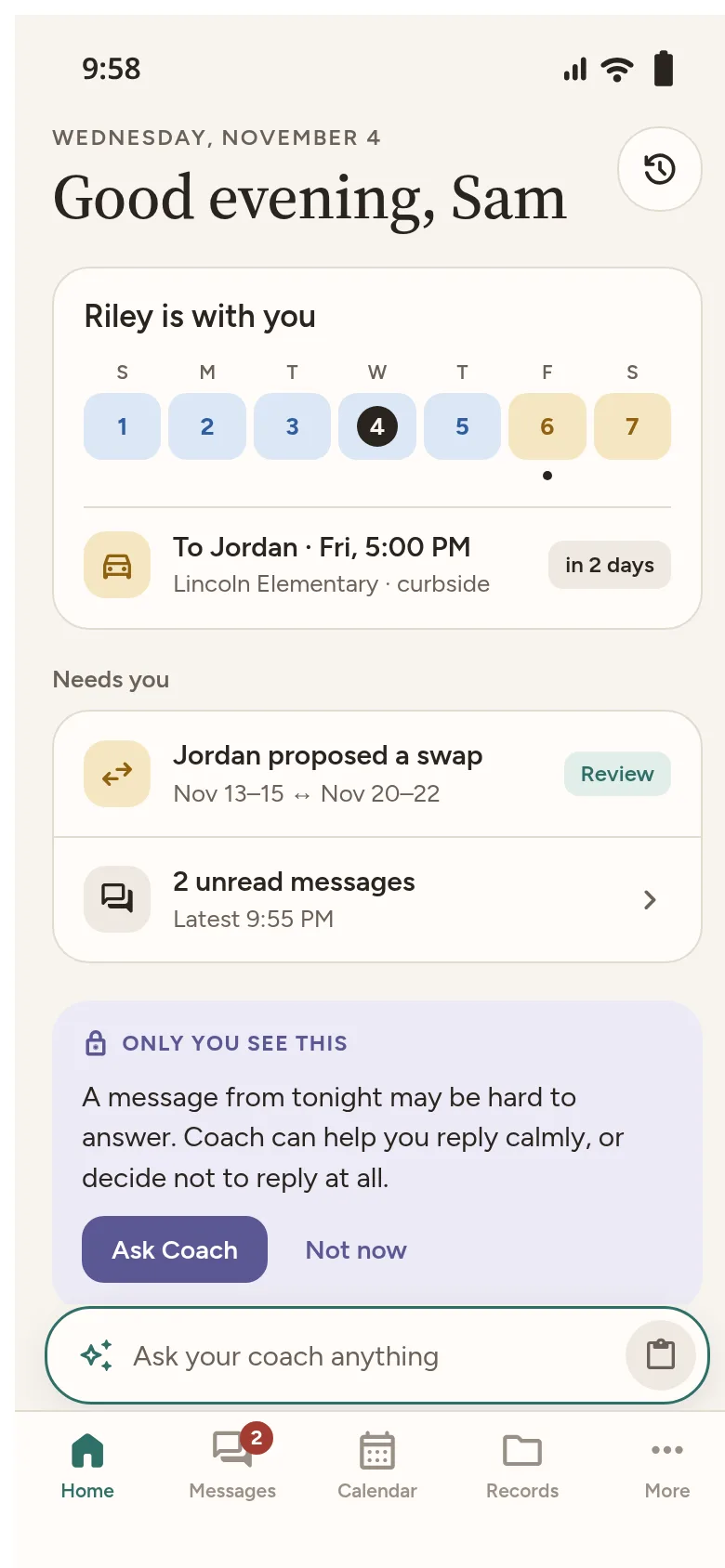
Orderly home screen for Sam. Riley is with you. Handoff to Jordan, Friday at 5:00 PM, Lincoln Elementary, curbside. Jordan proposed a swap. A private Coach note says only you see this.

Check a reply before you send it.

Write what you need to say. Coach checks it privately for Brief, Informative, Friendly and Firm, and offers a calmer version if you want one. You decide what to send. Coach never sends anything for you.

Coach chats are private to you.

Review before you send, marked private to you. The draft says: Sure, see you at 3:15 at school. Brief, Informative, Friendly and Firm are checked, and a calmer suggestion is offered.
Ask Coach, marked private to you. Coach cites the order: exchanges happen at the Library lot at 5:00 PM, and says the order doesn't say anything about late pickups.

Ask about your order and get the part that answers it.

"Where do exchanges happen?" Coach answers from your order and shows where it found it. If the order doesn't cover something, it says "The order doesn't say." It doesn't guess and doesn't give legal advice.

A calendar both homes can read.

Your parenting time, the other parent's time and every handoff, built from the order you checked. Swaps stay pending until they're accepted.

  • You
  • The other parent
  • Handoff
November 2026 calendar. Your days and Jordan's days use two colours. Friday, November 6 shows a 5:00 PM handoff at Lincoln Elementary.

Works on your own.

You don't need your co-parent to sign up. Everything works on your own, and inviting them is optional. If you have a protective order, you don't have to link.

How it works

1

Add your order.

Upload a PDF or a few photos, or answer a few questions instead. Nothing is saved until you check the details.


Add your custody order. The choices are Choose a PDF, Photograph the pages, and Set it up without a file.
2

Check your calendar.

See your weeks, holidays and handoffs as the order describes them.

November 2026 calendar. Blue days are You and gold days are Jordan. Friday the 6th is outlined with a handoff dot. A banner says Jordan proposed a swap for November 13 and 20.
3

Message with a steady hand.

Use one shared thread, with private help from Coach when you want it. Invite your co-parent if and when you're ready.

Messages with Jordan. A sent message says running about 10 minutes late Friday, traffic on the bridge. A private Coach hint says only you see this, and that this one might be hard to answer.

What's private stays private.

  • Your Coach chats are only yours. Your co-parent can't see them, and they're never part of shared records or exports.
  • Notifications don't show message text by default.
  • We don't show your online status or location.
  • Exports are made on your phone. We don't keep a copy.

Read how privacy and safety work

Help us get Orderly right.

We're testing with a small group of families before launch. Join and we'll email you when there's a spot.

Join family testing